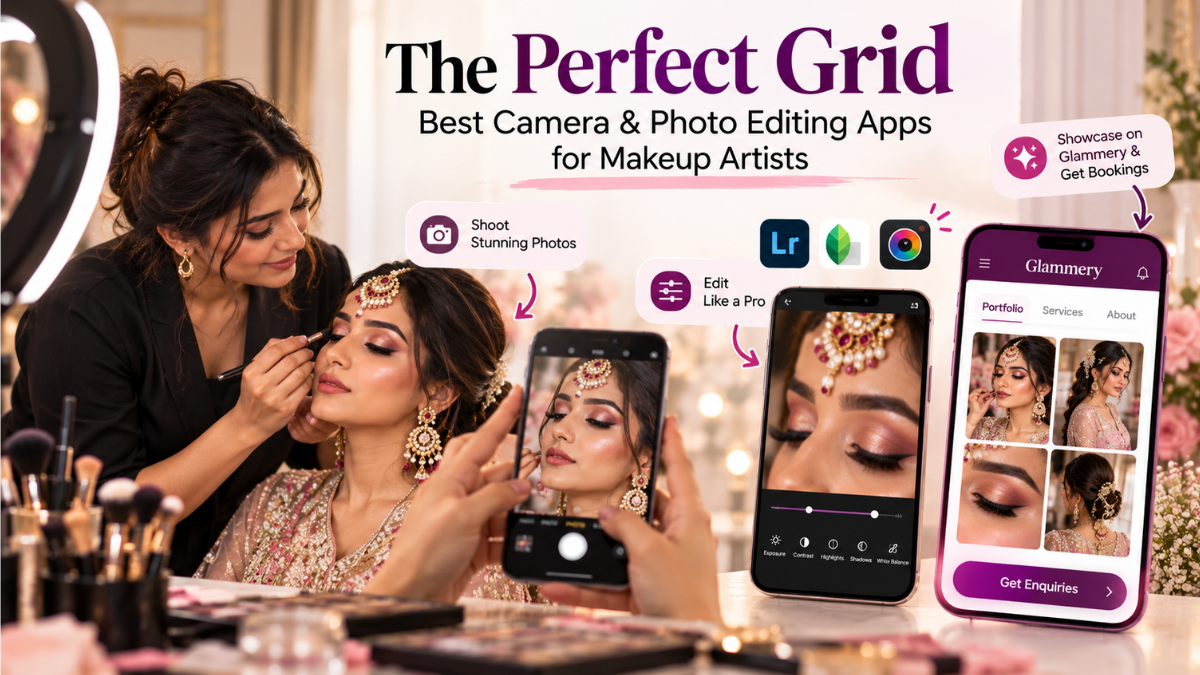
The Perfect Grid: Best Camera & Photo Editing Apps for Makeup Artists
Want to shoot stunning, HD portfolio pictures for Instagram? Discover the best camera apps for makeup artists and top photo editors to make your blends pop.
The Perfect Grid: Best Camera & Photo Editing Apps for Makeup Artists
As a makeup artist, your talent is displayed on your client's face, but your business growth is often decided by how that work looks online.
Today, brides discover makeup artists through Instagram, Google, and recommendations. Before sending an enquiry, they want to see your previous work, makeup style, and the quality of your results.
That makes good photography an important part of your MUA business.
In this guide, we'll look at the best camera app for makeup artist photography, useful photo editing app for makeup artists, and simple ways to shoot MUA portfolio photos that look professional on Instagram.
Why Good Photography Matters for Makeup Artists
A beautiful makeup look can lose its impact if the photograph is dark, blurry, or has incorrect colours.
Your portfolio should clearly show:
Skin texture
Eye makeup
Blending
Base makeup
Contouring
Bridal details
The complete finished look
You don't need an expensive camera to achieve this. A good smartphone, proper lighting, and simple editing are enough to create high-quality portfolio photos.
What to Look for in a Camera App
When choosing the best camera app for makeup artist photography, look for a few basic features.
Exposure Control
Strong ring lights can make the face look too bright. Exposure control helps you maintain details in the makeup.
White Balance
Salon lighting can make skin and makeup look too yellow or orange. White-balance control helps keep colours more natural.
Focus
Sharp eye makeup photographs are important for showing detailed work. Focus lock can help you capture cleaner close-up shots.
Best Camera Apps for Makeup Artists
Lightroom Mobile
Lightroom Mobile is useful for makeup artists who want more control over their photos. It offers camera and editing features that can help you create a consistent portfolio.
ProCamera
ProCamera is an option for iPhone users who want additional control over exposure, focus, and other camera settings.
Manual Camera Apps
Android users can choose from several manual camera apps that provide controls such as exposure, ISO, focus, and white balance.
The important thing isn't which app has the most features.
Choose the app that helps you consistently capture clear and natural-looking makeup photos.
Lighting Is More Important Than the Camera App
Even the best camera app for makeup artist photography cannot fix poor lighting.
For better results:
Use soft, even lighting.
Avoid extremely warm lights.
Keep the light close to face level.
Avoid harsh shadows.
Take a test photo before shooting the complete portfolio.
Good lighting will make your makeup colours look more accurate and reduce the amount of editing required.
Best Photo Editing Apps for Makeup Artists
After taking your photos, use editing to improve the image—not change the makeup.
Snapseed
Snapseed is useful for quick adjustments to brightness, contrast, colour, and selected areas of a photo.
Lightroom Mobile
Lightroom Mobile is useful when you want more control over exposure, highlights, shadows, white balance, and individual colours.
For makeup photography, keep your editing natural.
Avoid excessive:
Skin smoothing
Face reshaping
Whitening
Saturation
Beauty filters
Your portfolio should show potential clients what your actual makeup work looks like.
How to Shoot MUA Portfolio Photos
Try taking different types of photographs for every important bridal look.
1. Hero Portrait
Take a clean photograph showing the complete makeup look.
2. Eye Makeup Close-Up
Show the eyeshadow, eyeliner, lashes, and blending.
3. Side Profile
A side profile can highlight contouring, highlighting, hairstyle, and jewellery.
4. Complete Bridal Look
Capture the makeup, hair, jewellery, and outfit together.
These different photographs give potential clients a better idea of your work.
Build a Professional Makeup Portfolio
Your best photographs shouldn't only stay in your phone gallery.
Share your work on Instagram and create a professional portfolio where potential clients can easily see your makeup looks, services, and business information.
This is where Glammery can help.
With the Glammery app, makeup artists can create their mini-site, add their portfolio and business information, and share their profile with potential clients.
You can also become discoverable through the Glammery marketplace, where clients can explore makeup artists and find professionals for their events.
Instead of sending multiple Instagram posts or WhatsApp photos, you can simply share your Glammery profile.
Turn Your Portfolio Into Bookings
Great photographs get attention.
But your goal isn't just to get likes.
You want potential clients to enquire and eventually book you.
With Glammery, you can manage your makeup business after the enquiry as well—including your bookings, calendar, clients, payments, and team.
Your workflow becomes simple:
Shoot → Edit → Showcase → Get Enquiries → Manage Bookings
Your Instagram helps people discover your work.
Your Glammery mini-site gives them a professional place to explore it.
And the Glammery marketplace helps more clients discover your business.
Download Glammery for Your Makeup Business
If you're a professional makeup artist, don't let your best work sit only on Instagram.
Download the Glammery app, create your professional MUA profile, showcase your portfolio, get discovered through the marketplace, and manage your bookings from your phone.
Your makeup deserves to be seen.
Your business deserves to be organized.
Get started with Glammery today.